Now on the App Store and Google Play

You create the stickers with AI. Or your camera.

GridSticker cuts them into packs for WhatsApp + Telegram now.

New Had your sticker sheet animated into a clip? Drop that video in and it cuts into one animated sticker per cell — same trim, slice, send. Animated sticker builder →

Download on the App Store Get it on Google Play One-time unlock · no subscription headaches

How GridSticker turns AI sticker sheets into WhatsApp and Telegram packs

01. Drop 02. Slice 03. Export 04. Send
One of nine AI-generated stickers cut from a 3×3 sheet by GridSticker
9 originals ready Slicing into 3×3 9 stickers cut Sent ✓
What's inside

What it actually does.

New Cut animated stickers from video

Run your sticker sheet through Veo or Sora so every cell moves, then drop that clip in. It slices into one animated sticker per cell, the same way a still sheet does — same import button, same steps. Trim to the part you want, then set the frame rate per sticker instead of one rate for the whole pack. Get a clip to cut →

Camera capture

Point it at something and shoot. The subject gets cut out on its own, no grid step. Continuous shooting keeps the camera open — flash, rotate and delete are right there.

Vector contour smoothing

Traces the outline as a vector path, then smooths the corners. No staircase pixels along the edge.

Animated stickers

Already have a multi-frame sheet? Line the frames up with onion-skin and scrub through to check it. Exports as animated WebP for WhatsApp, or a GIF to Photos.

Clean white outlines

The white outline that makes a sticker read as a sticker. Adjust the width to taste.

Background removal

Pick your subject and the rest gets knocked out. Or just remove the white, with a tolerance dial when the source is messy.

Per-tile fine-tuning

One sticker won't cooperate? Tweak it on its own. The rest stay untouched.

Lossless WebP

Lossless when it fits under WhatsApp's 100KB limit. Lossy when it has to. Either way, no muddy edges.

Erase brush

For when one tile has a smudge the auto-cutout missed. Brush it off, undo if you slip, and the brush sits where your thumb is whether you're lefty or righty.

Smart Slice

It usually figures out the grid on its own. If it doesn't, drag the dividers. Each cell is independent, so wonky sheets still slice clean.

Hi-res Photos export

Save the full PNG to Photos. Transparent background intact, no compression.

FAQ

Quick answers.

What kind of image do I drop in? +
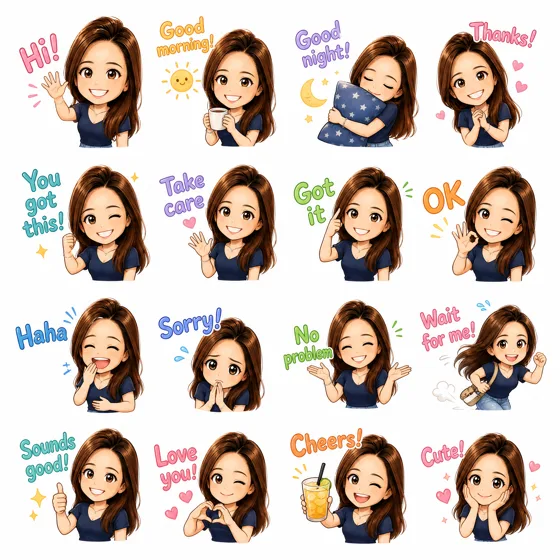
A sticker sheet. Usually 2×2, 3×3, or 4×4 stickers on a white background — the sort of thing ChatGPT or Nano Banana will spit out if you ask for one. Don't have one yet? Use the prompt builder — pick a theme, attach a photo, paste the prompt, get a sheet back.
Does it work with non-AI images? +
Yes. Anything in a grid on a clean background. Scanned drawings, sticker templates, photo collages — all fine.
Can I make a sticker from a photo I take? +
Yes. Swipe the start button to switch to the camera. One shot, the subject gets cut out, and it skips the grid step entirely. Turn on continuous shooting and the camera stays open so you can build a whole pack in one sitting — flash, rotate and delete are all right there. If you want the untouched photo kept too, there's a Keep original photos setting under Settings → Camera.
Where does my image data go? +
Nowhere. Everything happens on your phone. Nothing gets uploaded. Full privacy policy here.
Is there an Android version? +
Yes — GridSticker for Android is out now on Google Play. Slicing, background removal, outlines and WhatsApp, Telegram and LINE export all work the same as on iPhone. Cutting a video into animated stickers is the one thing iOS has first; it's coming to Android in an update. More on the Android page. iPad and Mac if there's demand.
How many stickers per pack? +
WhatsApp: 3 to 30. Telegram: 1 to 120. GridSticker enforces each platform's rules at export — keep building, then ship the same pack to either app.
Can I send the same pack to both WhatsApp and Telegram? +
Yes. Build it once, then pick where it goes. Animated packs are WhatsApp-only for now — Telegram wants a different video format I haven't gotten around to. Static packs go to either.
Can I use these in iMessage? +
Yes. From the export menu, pick Share… and then on iOS 17+ tap Add Sticker. The tile lands in your iMessage sticker library and you can drop it into any conversation. Works one tile at a time — pick the ones you actually use.
Can I make animated stickers? +
Two ways. Have your sticker sheet animated into a clip and drop that video in, or drop a sheet where each frame is on its own row or column and line them up with onion-skin. Either way you get the same slice-and-send flow as a still pack. WhatsApp caps animated packs at 500 KB, so if your pack runs heavy GridSticker will quietly drop frames or dial quality down to fit.
What kind of video can I cut into stickers? +
The one you get back from animating a sticker sheet. Build a 4×2 sheet, run it through Veo, Sora or Kling so all eight cells move at once, and you get a single clip — that's what you drop in. GridSticker cuts it into one animated sticker per cell, the same job as slicing a still sheet: same import button in both Quick and Advanced, trim to the part you want, then set the frame rate per sticker rather than once for the whole pack. The animated sticker builder writes both prompts for you. Animated packs are WhatsApp-only for now.
What if the auto grid detection gets it wrong? +
Drag the dividers around. Each row and column moves independently, so even a wonky or off-centre sheet still slices clean. The cols/rows pills are right under the image.
One sticker came out wrong. Can I fix just that one? +
Yes. Tap into the tile and fiddle: outline width, tolerance, or grab the erase brush for stray pixels. The other tiles don't move.
Can I use this for my Cricut? +
Yes — and the white outline is what makes it work. Generate or scan your sticker sheet, run it through GridSticker, then export the hi-res PNGs to Photos. Drop those into Cricut Design Space as Print-then-Cut images. The clean white border gives Cricut's blade something definite to follow, so you get crisp die-cuts instead of ragged edges. Adjust the stroke width to match the bleed your sticker paper needs.
WhatsApp said "Error 1000" when I tried to add the pack. +
Tap export again. It usually goes through on the second try. This is a flaky handoff thing on WhatsApp's side, not a problem with your pack — if a third try doesn't work, force-quit WhatsApp and try once more.

Your sheet is one slice away
from a sticker pack.

Download on the App Store Get it on Google Play iPhone and Android · one-time unlock, no subscription